
Tech
Easy Guide to SFM Compile: Make Custom 3D Models Work

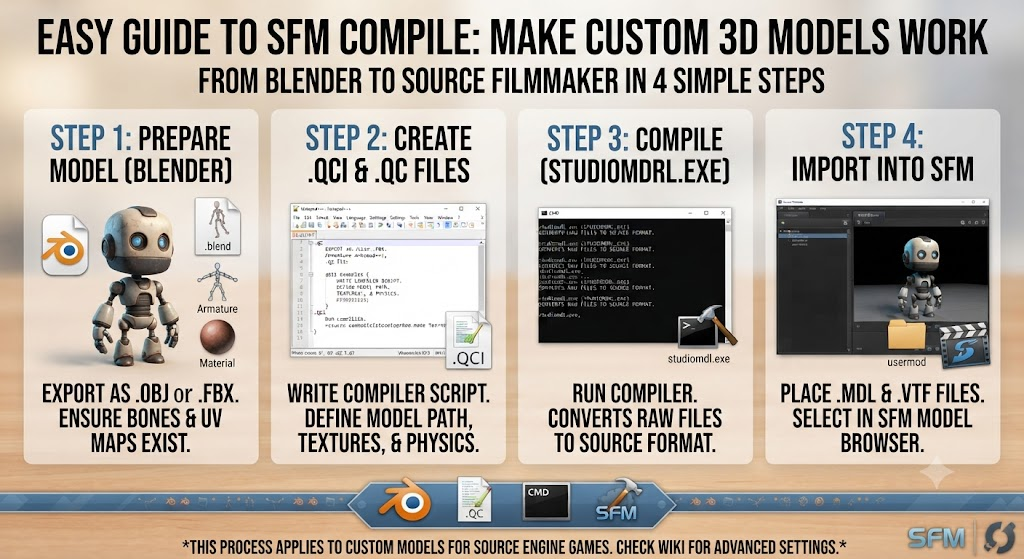
Have you ever made a cool 3D model on your computer? SFM Compile Maybe you used a free program like Blender to design a neat character. You want to bring your creation into Source Filmmaker (SFM) so you can make fun animations. But when you open your project, your character shows up as a bright purple and black checkerboard! Or worse, it does not show up at all.
This happens because the Source Engine cannot read standard files like OBJ or FBX directly. It needs a special format called an MDL file. This is where an sfm compil process comes to the rescue. Think of this process as a helpful translator. It takes your raw 3D shapes, colors, and bones, and packages them into a language that Source Filmmaker understands completely.
Why 3D Assets Need Special Translation
Working with 3D software is a lot like building a toy out of tiny Lego blocks. You have your main shape, your paint colors, and your moving parts. However, game engines are very picky. They cannot just look at a raw file and figure out where the skin meets the shirt or how the joints should bend.
When you run an sfm compil job, utility software bundles all those separate pieces together. It collects your vertex data, your texture paths, and your skeleton weights into one neat bundle. Without this step, the software stays completely blind to your hard work. Getting your files translated properly ensures that your custom creations load smoothly every single time.
Meet the Tools Behind the Process
You do not have to do this translation work all by yourself. There are special helper programs designed to make the job fast and easy. One of the most popular tools among creators is called Crowbar. Crowbar gives you a clean button-clicking window where you can select your files and let the software do the heavy lifting.
Another built-in tool is Studiomdl, which comes right inside your Source Filmmaker installation folder. While Studiomdl uses text commands, it gives you deep control over how your files are built. Most beginners start with friendly graphical tools like Crowbar because they are simple to learn and show helpful error messages if something goes wrong.
What is a QC File and Why You Need It
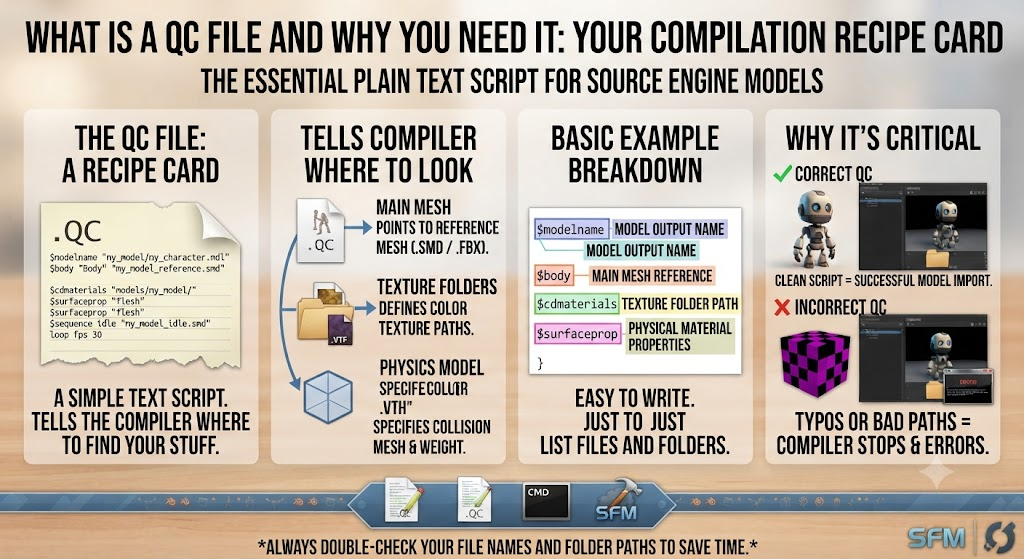
Every successful sfm compil project relies on a special recipe card known as a QC file. A QC file is just a plain text document that tells the compiler where to look for your stuff. It tells the program where your main mesh is saved, where your color textures live, and how heavy your physics box should be.
Writing a QC file is very easy once you see a basic example. You just list the name of your reference mesh file, point to your texture folders, and define your output location. If your recipe card has a typo, the compiler will get confused and stop. Keeping your text clean and checking your folder paths saves you a lot of time and frustration.
Essential Output Files You Will Create
When your sfm compil task finishes successfully, you will notice a brand new set of files sitting in your folder. Each of these files has an important job to do. The main file ends with .mdl, which is the actual core model that your animation project loads.
You will also see files ending in .vvd for vertex data, .vtx for mesh optimization, and .phy for physical collisions. All of these files work together as a team. If you delete even one of them by accident, your animated character might crash the program or look broken on your screen.
Step-by-Step Workflow for Beginners
Starting your very first model conversion does not have to be scary. First, make sure your 3D model is facing the right direction and your scale is set correctly in your modeling app. Next, export your mesh into a neutral format. Place your mesh and your image textures into a clean, dedicated project folder.
After that, write your simple QC script pointing right to those assets. Open your compilation tool, load your QC script, and hit the compile button. Within a few seconds, your new files will appear, ready for you to drop into your game folders and test out.
Common Mistakes and How to Avoid Them
Even experienced creators run into hiccups during an sfm compil run. The most common mistake is a simple typo in a texture path inside the QC file. If the compiler cannot find your image textures, your model will show up plain white or covered in missing texture errors.
Another common issue is forgetting to apply scale and rotation in your 3D software before exporting. Always remember to freeze your transformations so the compiler reads your dimensions correctly. Checking your compiler log window is the best way to spot these tiny errors instantly.
Pro Tips for Faster Model Building
If you want to save time, always start by testing small, simple static objects before trying to build complex animated characters. Compiling a simple wooden crate or a basic shape helps you learn the workflow without getting overwhelmed by rigging and skin weights.
Another great trick is to deconstruct existing game models using your compiler tool. Looking at how professional artists set up their folders and script files teaches you best practices instantly. Building good habits early on makes every future project much smoother and more fun.
Organizing Your Project Files Like a Pro
A messy workspace leads to broken links and failed builds. Keep your digital life tidy by creating a main folder for your assets, with separate subfolders for your raw meshes, image textures, and finished outputs.
When your project files stay organized, your compilation tool can find every texture and reference file on the first try. Good file management is the secret superpower behind every fast and successful digital art workflow.
Bringing Your Creations to Life in SFM
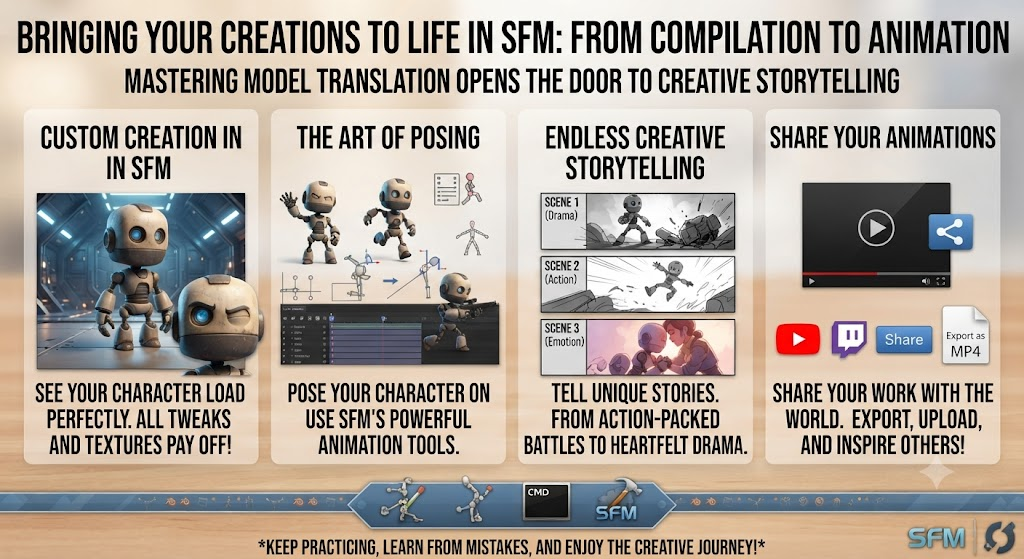
Seeing your very custom creation finally load inside Source Filmmaker is an amazing feeling. All those hours spent tweaking shapes and adjusting textures pay off the moment you pose your character on screen.
By mastering the basics of model translation, you open the door to endless creative storytelling. Keep practicing, learn from your minor mistakes, and enjoy sharing your unique animations with the world!
Complete Detailing Table
| Step Number | Phase Name | Main Tool Used | Primary Output File | Purpose of the Step |
| 1 | 3D Modeling | Blender / Maya | .fbx or .obj | Designing the core shape and rigging your character. |
| 2 | Texturing | Photoshop / GIMP | .vtf and .vmt | Painting colors and surface shine properties. |
| 3 | Scripting | Text Editor | .qc file | Writing the configuration recipe for your assets. |
| 4 | Compiling | Crowbar / Studiomdl | .mdl, .vvd, .phy | Translating files into Source Engine format. |
| 5 | Testing | Source Filmmaker | In-app Viewport | Checking animations, textures, and physics behavior. |
Frequently Asked Questions
1. What does the term mean in 3D design?
It refers to the process of converting raw 3D assets into specific game-ready files that Source Filmmaker can read and render.
2. Why is my model showing up as purple and black checkers?
This happens when your software cannot locate your texture files. Double-check your texture paths and material names in your setup script.
3. Do I need to know how to code to use these tools?
No coding is required! Friendly graphical programs like Crowbar let you click buttons to handle your builds easily.
4. Can I use these steps for modern game engines?
No, this specific workflow is built specifically for the classic Source Engine used by Source Filmmaker.
5. How long does a typical build take?
Simple objects compile in just a few seconds. Very large characters with complex bone structures might take a minute or two depending on your computer speed.
6. Where can I find help if my build fails?
Always check the log window inside your compiler tool. It prints clear error messages that tell you exactly what went wrong.
Conclusion
Wrapping up your 3D animation journey opens up an amazing world of creative possibilities. Mastering the technical steps behind your projects lets you turn any imaginary character into a living, breathing digital star on your screen. Keep practicing, stay curious, and have fun bringing your unique stories to life in Source Filmmaker!


JNETOTO and Togel Online: A Complete Guide

Hanne Norgaard Ethnicity: Heritage, Background, and Cultural Identity

The Complete Guide to Reviewing M88 Sports Games and Platform Features

Gareth Varey: The Architect of Modern Artist Management

Liza Tarbuck Illness: Health, Career, and Public Awareness

Jeffrey Donaldson Daughter Claire: Family Life, Privacy, and Personal Influence
-
 Fashion8 months ago
Gareth Varey: The Architect of Modern Artist Management
-
 CALEBRITIES9 months ago
Liza Tarbuck Illness: Health, Career, and Public Awareness
-
 Politics8 months ago
Jeffrey Donaldson Daughter Claire: Family Life, Privacy, and Personal Influence
-

 Business9 months ago
son simon now simon anthony blackburn: From Celebrity Son to Private Life
-

 Entertainment9 months ago
Alice Bhandhukravi Illness: Separating Fact from Rumor and Understanding Her Health Status
-

 Politics8 months ago
Piers Pottinger: A Comprehensive Profile of a PR and Corporate Communications Veteran
-

 Sports8 months ago
Desislava Bozhilova Married: Exploring Public Curiosity and a Strongly Guarded Private Life
-

 Business9 months ago
Is Peter Cardwell Married? A Deep Dive Into His Life, Career, and Personal Relationships