
Tech
Cx File Explorer: The Best Free File Manager for Android (2026)

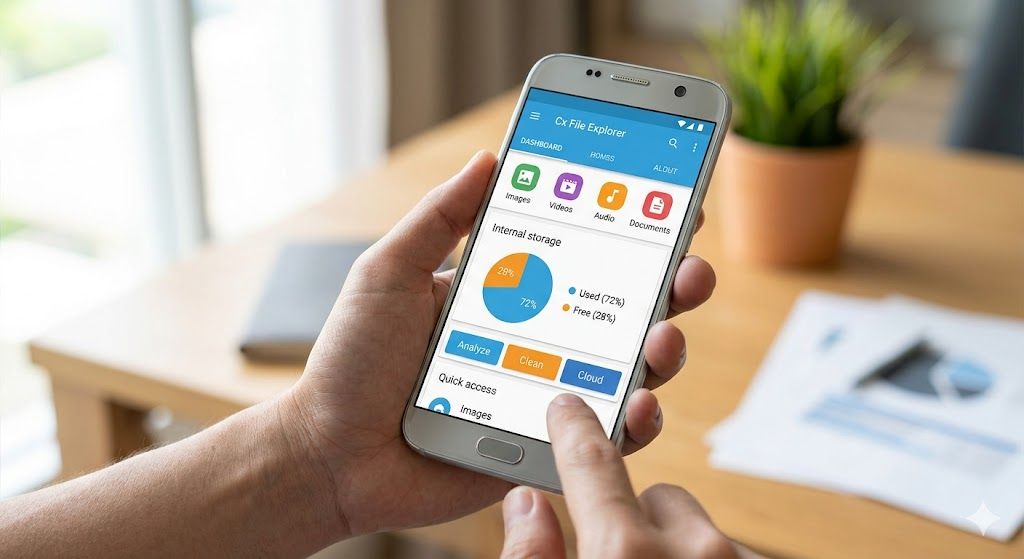
Managing files on a phone can feel like trying to find a needle in a haystack. Many built-in apps are slow or full of ads that get in the way. That is why Cx File Explorer is such a breath of fresh air for Android users. This app gives you a clean look at everything taking up space on your device. Whether you are moving photos to an SD card or clearing out old downloads, it makes the process feel smooth and simple. I have used many tools over the years, and this one stands out because it does not try to sell you anything. It just works exactly how you expect it to.
What is Cx File Explorer?
Cx File Explorer is a powerful file management app designed specifically for Android devices. Think of it as a super-powered version of the “My Files” app that came with your phone. It allows you to browse, move, copy, compress, and rename files with just a few taps. What makes it special is the visual dashboard. As soon as you open the app, you see a clear chart of your storage. It shows you exactly how much room you have left. This helps you decide if you need to delete big videos or move games to a different folder. It is completely free and has a very high rating on the Google Play Store for a reason.
Key Features You Will Love
The most helpful part of Cx File Explorer is how it organizes your digital life. It sorts your files into categories like Images, Audio, Videos, and Documents automatically. You do not have to dig through confusing system folders to find a PDF you just downloaded. It also includes a built-in trash bin, so if you delete a photo by mistake, you can get it back easily. Another great feature is the “Library” view. This gathers all your media in one spot, regardless of where they are saved. It feels very modern and is much faster than the standard Android file explorer.
Technical Specifications Table
| Feature | Details |
| App Name | Cx File Explorer |
| Platform | Android 5.0 and up |
| License | Free (No Ads) |
| Main Function | File & Storage Management |
| Cloud Support | Google Drive, Dropbox, OneDrive |
| Network Tools | FTP, FTPS, SFTP, SMB |
Visualizing Your Storage Space
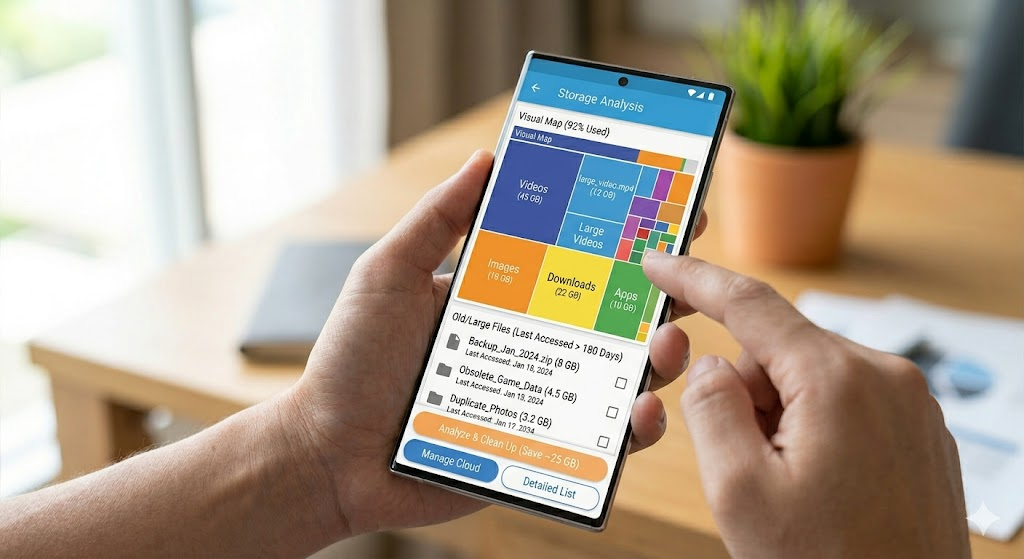
One of my favorite tools inside Cx File Explorer is the Storage Analysis feature. When your phone says “Storage Full,” it is usually hard to know why. This app analyzes your storage and shows you a “Visual Map” of your data. It points out large files and folders that you haven’t opened in a long time. It is like having a professional organizer for your smartphone. By seeing which apps are hogging the most space, you can quickly click “Clean Up” and breathe new life into a slow device. This visual approach is much better than just looking at a long list of text and numbers.
Connecting to Cloud Storage
In 2026, we all keep our files in different places. Cx File Explorer makes it easy to see your Google Drive, Dropbox, and OneDrive all in one app. You do not need to open five different apps to move a file from your phone to your computer. You simply link your accounts, and they appear as extra folders on your screen. This is a huge time-saver for students and workers. You can drag a work document from your email and drop it straight into your cloud folder. It handles the upload in the background while you keep working on other things.
Managing Files Over Wi-Fi
Did you know you can access your phone files from your laptop without a USB cable? Cx File Explorer has a feature called “Access from Network.” When you turn this on, it gives you a special web address. You type that address into your computer’s browser, and boom—all your phone photos appear on your big screen. This is perfect for when you want to back up your vacation pictures but cannot find your charging cord. It uses your local Wi-Fi, so it is very fast and does not use up your mobile data plan.
How to Clean Your Phone Safely
We all have “junk files” like temporary data and cache that we do not need. Cx File Explorer has a dedicated cleaning tool that finds these hidden files for you. The best part is that it is safe. It won’t delete your important messages or private photos. It looks for “temp” files that apps leave behind after you close them. I usually run this once a week to keep my phone snappy. If you notice your phone getting hot or apps taking a long time to open, a quick scan with this tool can often fix the lag.
Organizing Apps and APKs
If you like to try out different apps, you probably have a few APK files sitting in your download folder. Cx File Explorer helps you manage your installed apps too. You can see which apps use the most data and even uninstall them directly from the explorer. For tech-savvy users, it makes finding and installing APKs very easy. It even shows you the version number and size of each app. Having this level of control makes you feel like you truly own your device rather than just using it.
Advanced Tools for Power Users
While it is simple enough for a child to use, Cx File Explorer also has “pro” features hidden under the hood. It supports FTP and SMB protocols. This means you can connect to a home server or a NAS drive. If you have a movie collection on your PC, you can stream those videos directly to your phone using this app. It also supports zipping and unzipping files. If someone sends you a .zip or .rar file, you can open it right away without downloading extra software. It is a true “all-in-one” tool for your Android system.
Why it Beats the Competition
There are many file managers like ES File Explorer or Solid Explorer, but Cx File Explorer wins on simplicity. Many other apps started adding “phone boosters” or annoying news feeds that nobody asked for. This app stays focused on one job: managing your files. It is lightweight, which means it won’t drain your battery or slow down your phone. The user interface is bright and follows Google’s Material Design rules. Because it is free from trackers and advertisements, your privacy stays protected while you browse your most personal data.
Tips for a Better Experience
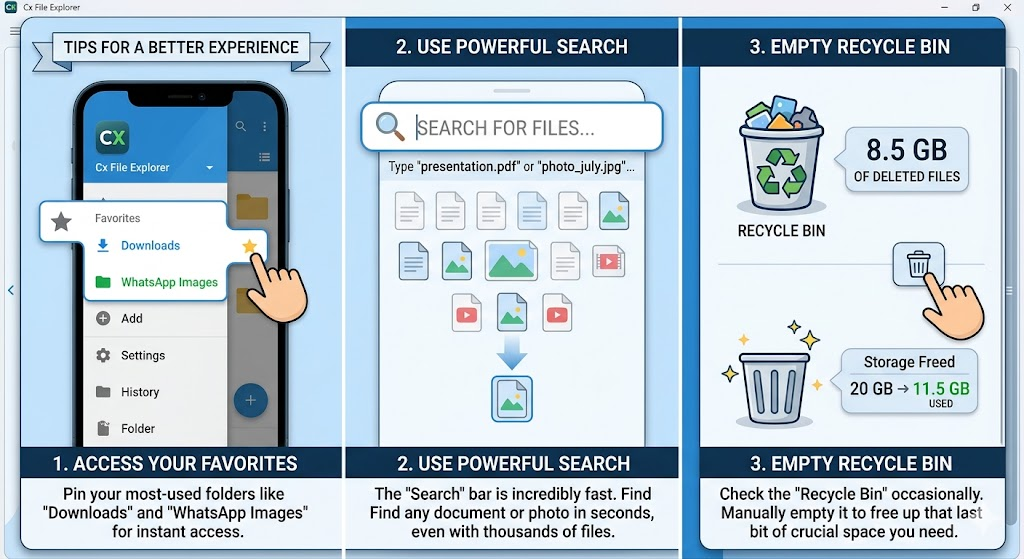
To get the most out of Cx File Explorer, I recommend pinning your most-used folders to the “Favorites” section. If you are always looking for your “Downloads” or “WhatsApp Images,” you can make them easy to reach. Also, try using the “Search” bar at the top. It is incredibly fast. Even if you have thousands of files, it can find a specific document in seconds. Lastly, check the “Recycle Bin” occasionally. Files stay there for a while before they are gone forever, so emptying it manually can sometimes free up that last bit of space you need.
Conclusion
In a world where apps are getting more complicated, Cx File Explorer keeps things easy. It is the perfect tool for anyone who wants to take control of their storage without learning complex tech skills. From cleaning up junk to syncing with the cloud, it handles every task with speed and grace. If your phone is feeling cluttered, give this app a try today. You will be surprised at how much space you can find when you have the right tool to look for it.
Frequently Asked Questions
1. Is Cx File Explorer safe to use?
Yes, it is very safe. It does not contain malware or annoying ads. It only asks for permissions that are necessary to manage your files, like storage access.
2. Does it work on tablets?
Absolutely! It is optimized for both Android phones and tablets. The layout looks great on larger screens and makes file dragging even easier.
3. Can I transfer files to my PC with this app?
Yes, you can use the “Access from Network” feature to move files over Wi-Fi, or connect to your PC using the SMB protocol.
4. Is it completely free?
Yes, there are no hidden costs, subscriptions, or “pro” versions. All features are available to everyone for free.
5. How do I find large files?
Open the app and click on “Analyze.” It will show you a list of the largest files on your device so you can decide what to delete.
6. Can I open Zip files?
Yes, it has a built-in tool to compress and extract Zip, RAR, and other archive formats without needing another app.


Integrated Aquatic Protection: Evaluating Advanced Emergency Response Programs

Rachel Caesar: Biography, Background, Career, and Personal Life

US Teacher Appreciation Day 2025: Date, History, Ideas, and Ways to Celebrate

Gareth Varey: The Architect of Modern Artist Management

Liza Tarbuck Illness: Health, Career, and Public Awareness

Jeffrey Donaldson Daughter Claire: Family Life, Privacy, and Personal Influence
-
 Fashion9 months ago
Gareth Varey: The Architect of Modern Artist Management
-
 CALEBRITIES9 months ago
Liza Tarbuck Illness: Health, Career, and Public Awareness
-
 Politics8 months ago
Jeffrey Donaldson Daughter Claire: Family Life, Privacy, and Personal Influence
-

 Entertainment9 months ago
Alice Bhandhukravi Illness: Separating Fact from Rumor and Understanding Her Health Status
-

 Business9 months ago
son simon now simon anthony blackburn: From Celebrity Son to Private Life
-

 Politics9 months ago
Piers Pottinger: A Comprehensive Profile of a PR and Corporate Communications Veteran
-

 Sports9 months ago
Desislava Bozhilova Married: Exploring Public Curiosity and a Strongly Guarded Private Life
-

 Entertainment9 months ago
Is Alice Bhandhukravi Married? A Complete Look at Her Personal Life and Career